QQ登录

只需一步,快速开始

登录 | 注册 | 找回密码

三维网

 找回密码
 注册

QQ登录

只需一步,快速开始

展开

通知     

查看: 15695|回复: 23
收起左侧

[求助] TOOLBOX问题

[复制链接]
发表于 2015-7-25 10:30:39 | 显示全部楼层 |阅读模式 来自: 中国四川成都

马上注册,结识高手,享用更多资源,轻松玩转三维网社区。

您需要 登录 才可以下载或查看,没有帐号?注册

x
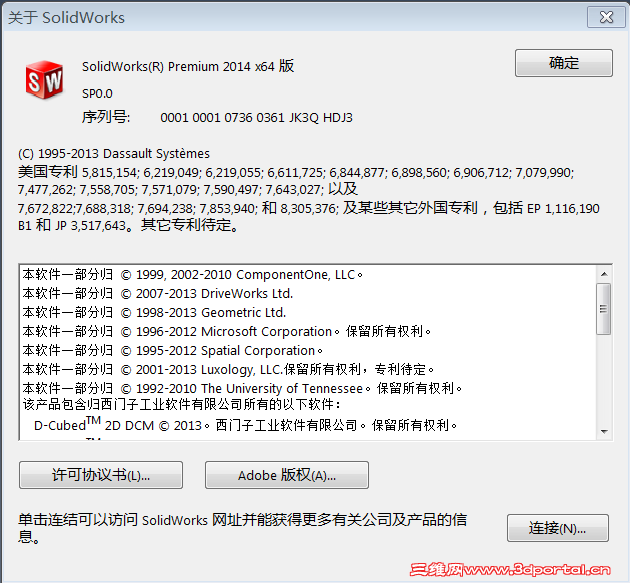
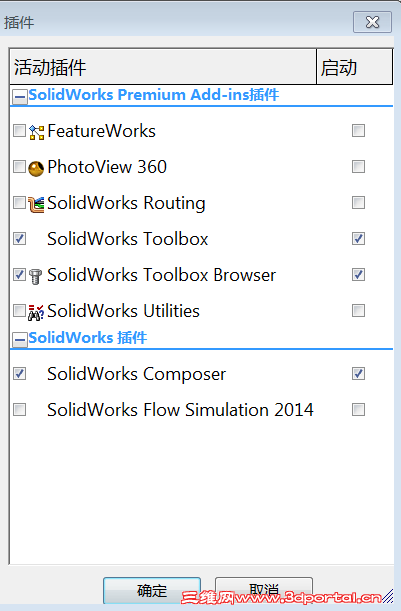
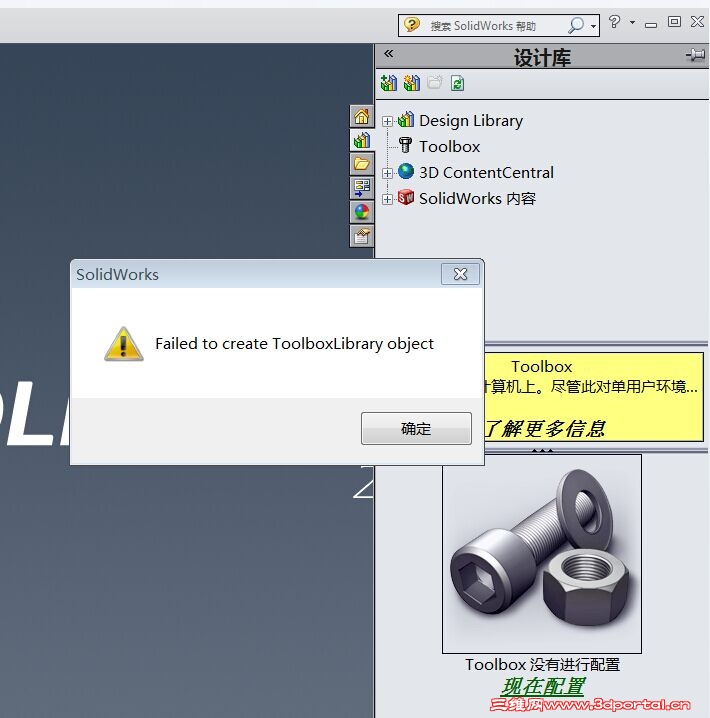
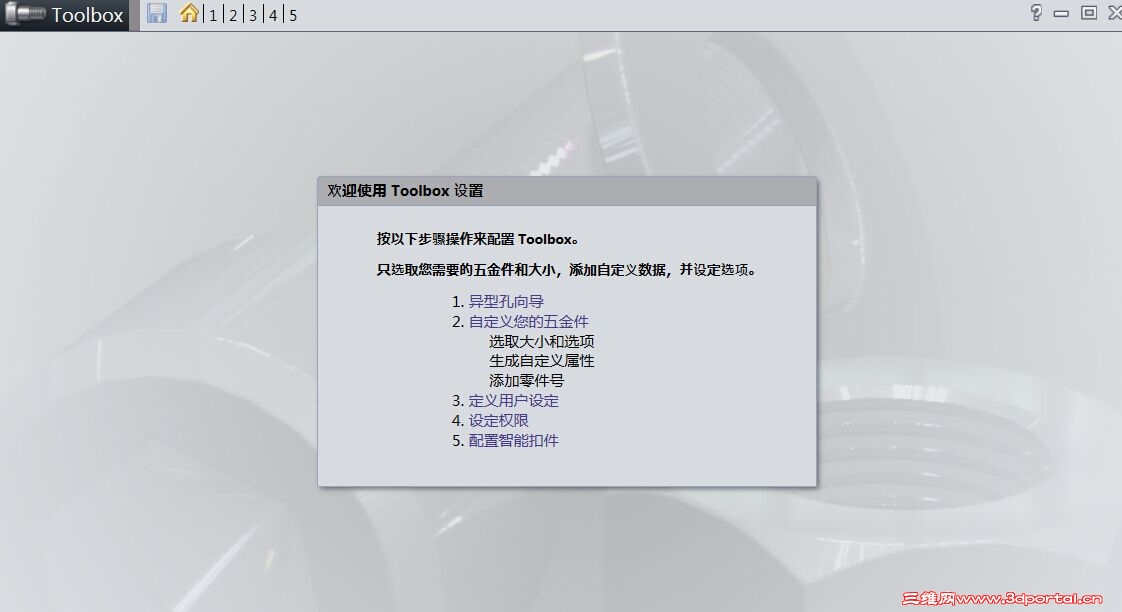
我在安装好SW2012或者SW2014后,配置TOOLBOX的时候就出现failed to creste toolboxlibrary object的错误。
1 I( z. `' h( N7 _* ]9 l- s0 j我试过很多方法了。根本解决不了这个问题。  ?! Z2 C& ?5 D% w3 G, i- {
1.png
2.png
3.jpg
4.jpg
发表于 2015-7-26 14:30:05 | 显示全部楼层 来自: 中国台湾
給你參考看看~這是我之前遇到的~自己處裡的
" A! ]5 y. |0 Q5 d  B, y2 m1.打開SolidWorks 選項1 u# t1 _- D6 D2 c9 ^: G
7 d7 f; e3 P( ]! g: z; w/ E9 d+ k# ^
系統選項->異形孔精靈/Toolbox" f, q, N. h/ I. l! e- P
看所在的資料夾(例如:C:\SolidWorks Data\) 複製路徑
& s" v6 g9 t, C/ e3 t$ G# R
6 p- V/ N& r! v8 u7 a6 z+ @6 w  x3 J% R2.打開SolidWorks 安裝資料夾
" b4 d4 ?! M  a看到"Toolbox" 將裡面的壓縮檔解壓到C:\SolidWorks Data\
) |2 f  u1 y9 c! I1 r; R' h  N, u" ], l1 o4 j% X. B, l
3.回到SolidWorks 把toolbox 附加進去/ ]8 S% u+ I5 a& Q/ x2 z# q6 S, ~# N
   啟用toolbox 看是否可用~ 若OK到此結束% Z* X% Y* u% l  m
   若不行,會顯示尚未組態 請繼續以下! v  x& z( S: Q% f  L$ {$ [! o
  F4 n- W' a1 r8 Z4 L& M  Z
4.打開SolidWorks 安裝程式,選擇修復SolidWorks
0 e6 e- a; A+ _* L. k/ A
; k& @; h1 q5 _2 ?2 U5.等他修復完成,就可以用

评分

参与人数 1三维币 +3 收起 理由
阿帕奇 + 3

查看全部评分

 楼主| 发表于 2015-7-29 14:39:20 | 显示全部楼层 来自: 中国四川乐山
judyyai 发表于 2015-7-26 14:300 r5 Y) a5 [: Z7 {! l8 e4 P' n
給你參考看看~這是我之前遇到的~自己處裡的+ I/ v: p' U7 _0 G: r& c
1.打開SolidWorks 選項

" t6 |3 V4 Z- }6 i# R$ U. C, c还是不行。。没办法用。
发表于 2015-7-30 13:13:54 | 显示全部楼层 来自: 中国辽宁丹东
win7系统吗?如果是,先卸载win7sp1,再重新升级到sp1。你试试,我的同样的问题是这么解决的。) r6 x. y8 @' K* Q( X
发表于 2015-8-22 15:17:14 | 显示全部楼层 来自: 中国澳门
一模一样的问题,同问!
发表于 2015-8-23 12:06:51 | 显示全部楼层 来自: 中国安徽滁州
1. 打开注册表编辑器; , d& p$ d% q( f5 ?, C' ~
2. 点开HKEY_LOCAL_MACHINE\SOFTWARE\Policies\Microsoft\Windows\Installer,没有就建 一个;
% H  K2 c0 B: z- b5 C. P3. 新建一个Dword值,名字为“RemappedElevatedProxiesPolicy”,值为1;
# z, |: Q5 O" h+ v4. 点安装光盘里的setup.exe,选修复安装Solidworks 2014;
) B& S. i" Q  C2 p5. 安装完后打开Solidworks 2014,确认问题解决后,将“RemappedElevatedProxiesPolicy”的值改为0。; C7 _" f; h& U5 O& j

3 u, O8 W5 e  A! U6 w 我的是32位系统,按上述方法确实解决了。不知64的是不是可以.5 h! b" a4 J+ S% k9 n
发表于 2015-8-24 07:32:27 | 显示全部楼层 来自: 中国江苏南京
我装SW2015也遇到类似情况
0 u7 {! W+ a- P- i
/ {7 D5 _( D2 g7 U$ D3 z
发表于 2015-8-28 10:25:14 | 显示全部楼层 来自: 中国北京
我在32位系统(包括win7,winxp)上使用32位的solidworks2010-2014的32位版本时都没有什么问题。
0 S1 l% {  s8 ]( Q但是在64位win7系统的电脑上使用solidworks2011-2014的64位版本时都出现此问题。
发表于 2015-8-28 11:42:57 | 显示全部楼层 来自: 中国江苏南京
到时目前各位同仁所说的解决问题方法我都试过,不能解决,请高人多指点
发表于 2015-9-8 15:40:18 | 显示全部楼层 来自: 中国河北石家庄
我的也是这个问题,看样子比较普遍,还没有解决。
发表于 2015-9-16 14:06:07 | 显示全部楼层 来自: 中国安徽合肥
我前几天问了,有个大神帮我解决了,和你一样的问题
发表于 2015-9-16 14:37:01 | 显示全部楼层 来自: 中国广东揭阳
这个是微软的更新补丁KB3072630和SW软件冲突造成的,下面这个链接是官方的处理方式,未必可行。可行的办法的重新安装一个新的系统,这个系统的补丁要打到7月25号之前的,因为那个补丁好像是7月25号发布的
) g# h+ \4 m. h: L" Rhttps://www.solidworks.com/sw/support/TechKB3072630.htm
发表于 2015-9-19 09:19:59 | 显示全部楼层 来自: 中国浙江温州
会英语的有福利了!
# E+ s& S' k. O6 Y" [& d- k, s
! }7 n# D/ I, O6 v- r+ b9 N8 wInstability in SOLIDWORKS due to conflict with Microsoft KB3072630, g) `7 d" o% U# g, z
4 L3 G! F0 _1 l& z# x- U% b% @+ V
Summary
% m$ F* f5 H" H4 {" L# G4 J* _3 T' o3 S. J
There is a conflict with Microsoft KB3072630 (published July 14 2015) which can cause SOLIDWORKS to become unstable when installed or updated after KB3072630 is applied. The Microsoft update makes changes to Windows Installer which prevents SOLIDWORKS installations (new, modify/repair, update or uninstall) from being executed correctly. We are working diligently to produce a software fix as soon as possible in SOLIDWORKS 2015 and 2016, however in the interim please review the information below to prevent and correct instability caused by this conflict.) y6 @- T  K9 e7 i$ h
* X# R6 V7 P! d" v( X! [1 Z* N5 l
Affected software7 p5 n' v* r! I" W) T+ h
! [$ j; J( g- P6 _0 m' n1 G
SOLIDWORKS 2011 - 2015, and SOLIDWORKS 2016 beta.# O( Z0 d# I. `& L5 a* r
, ]* }" y# d/ S/ y
Symptoms. j% X- l  d! G$ d3 N1 [% d* x3 ^

4 ]0 X( z# n. H  gInstability may appear in many different functional areas of the software, so the list below may not be complete. Known symptoms are:
* [( d4 s' l1 i& R( c5 e5 U  R
4 D/ j. e4 ~' a' Y•Missing add-ins from the SOLIDWORKS add-ins list in the Tools menu.
: C  {$ W. R) d+ I1 _6 M1 N/ ?! E0 a  a2 h1 s+ U* B

! X% Q8 t+ A$ y6 B0 v% w( w+ S  t! L•Error when launching SOLIDWORKS or opening a file: "Could not load SOLIDWORKS DLL: GdtAnalysisSupport.dll".
- V( `5 z  S8 A. @7 M1 c
0 i' d% X1 ^9 K  h3 d& w3 S, h- x  o1 N  D- s
•Crashes when recording, playing or editing a SOLIDWORKS Macro.
/ F8 r& d' G# O" ?! W
% Q- d: x! _; {3 u& f* t0 |" o) o) E2 t2 b& [, X( P
•Instability when using Equations./ x6 q9 K: E/ c# F6 q0 I, y
5 |% G% F2 j+ F2 k- }4 y3 }! x! b
* C# G, A3 b7 v1 Y4 o
•Error when launching SOLIDWORKS or SOLIDWORKS Explorer: "DWG document manager library is invalid or missing".
! P" W5 A0 x) n% J
% l& M7 A' |* f/ y, W$ Q. V
5 F$ G$ u/ @+ u3 e1 BSolution
2 ?# j5 B( U: p; v( j3 d1 c
% m; \" t  {8 F9 c3 g$ lFirst, check if you have KB3072630 installed:% N' W; ~( w7 }  q
1. & f/ v8 g3 R! Y% G+ U4 z! ]
From the Windows Control Panel, click Windows Update.8 f0 u- Z# s/ S
8 B3 q$ {: N: ~+ o3 B
2. " x- U6 }/ {% N. r$ Z
In the left pane, click View update history.! T/ c" ^1 H0 L$ Y
" p/ c; x  m; e5 H4 `( [8 s
3.
! B9 u; a4 U& e* xBrowse the list of installed updates to check if KB3072630 was installed. If present, it will have been installed on or after July 14 2015.
; X; Z$ h! i# z; l) _( }/ F
5 O  c" w: e3 _1 o4. 0 ?; h: ^- S8 L9 b+ ~( o7 p, Y
If KB3072630 is installed on your system please review the recommendations in the applicable scenario below.
' u6 t$ y6 h  A* {: ~4 k1 ^5 D* i, `; T! p+ L  a7 }$ B1 X
( {% L$ S! W; X. ^* u; p0 v

' v0 L) H- E9 c8 `4 w$ K6 ~' I  j  h, r8 M1 Y+ y: P" I" r- p% g
Important: We do not recommend uninstalling KB3072630 since it is an important security update. Please see below for next steps.
& U" Q  Q/ P9 I. l  |! X  }3 r% v+ o; Y* ?* ]; b: ^3 ?
Important: Serious problems may occur if you make incorrect changes to the registry. We advise you to make a backup of your registry using the information here. We advise you to work with your IT administrators when following the procedures below.! f9 F$ F( O) s/ O, \

; ~! F2 I5 @$ L4 I. }$ S5 W) B9 P9 hScenario 11 _" i4 z( g8 @0 z
! L" C; Z+ m" p8 O7 `  }
Users who have not yet installed or updated SOLIDWORKS since KB3072630 was applied.To prevent problems we recommend temporarily disabling KB3072630 before installing or updating SOLIDWORKS:
5 n6 Y  d9 J; y3 K  h5 i1. 9 |& u; A7 b% v3 x
Temporarily disable the KB3072630 security fix (we do not recommend uninstalling it) by either following steps (a)-(f) below or double-click KB3072630_Disable.reg from this zip file.
9 M7 I; {- n- Q" a3 p( B5 {     a. Click Start, click Run, type "regedit" in the Open box, and then click OK.
2 G% q2 i3 L+ U7 U9 c     b. Locate and click the following subkey in the registry:9 X2 Q" E  z# [0 \
     HKEY_LOCAL_MACHINE\SOFTWARE\Policies\Microsoft\Windows\Installer
: n$ ]" E. ~' U& h* o+ A1 B# }    Note If this subkey does not exist, create it.% P! R& I7 ~3 g' `2 x2 k
     c. In the Edit menu, point to New, and then click DWORD Value.: k' z; w3 N. X2 ]; [5 _
     d. For the DWORD name, type "RemappedElevatedProxiesPolicy", and then press Enter.' |1 r% ~8 _# S$ f, x
     e. Right-click RemappedElevatedProxiesPolicy, and then click Modify.
; R6 L- E& W3 \- p; c     f. In the Value data box, type 1, and then click OK.& t, J2 V# d7 ]

) C# e/ m  F( ?9 Z3 R2. $ U. D% C8 C4 E) e1 A5 v6 x
Install, update or uninstall SOLIDWORKS in the normal way.
! `4 c6 D; w" x. f7 R
* n6 G$ s# h, f) p6 Q3. $ ~" T) P8 k; z7 ]4 l8 \0 A8 E
After SOLIDWORKS installs or updates successfully, reset the RemappedElevatedProxiesPolicy DWORD value to 0 to re-enable the security fix for KB 3072630.' {+ L2 D4 z0 w

8 U9 Y* u& M! u2 l
( q$ T. m; Q) S: l) {' ?- b " @; ^: J- P0 p
! [& h+ h3 y* ^7 @
Scenario 2) f8 ]0 N9 j1 k/ v, f0 Y6 A

/ O& M" l( Q5 U1 XUsers who have installed or updated SOLIDWORKS after KB3072630 was applied – where SOLIDWORKS was installed using the ‘standalone’ installation method. Your SOLIDWORKS installation is likely to be unstable and subsequent uninstallation will likely fail. We recommend the following method to repair your SOLIDWORKS installation:
; u& i) W* d5 }4 O* D$ O$ v/ l1. 6 [* x9 `1 g; m( t* b3 Z, j) w
Follow step 1 from Scenario 1.
2 p: Q: k, T3 S* B- q
2 o9 e8 w+ P. H3 u2.
, ?. Z/ j/ e6 a, c, E0 s! rRun a Repair of your SOLIDWORKS Installation from Programs and Features in the Windows Control Panel. Find the SOLIDWORKS installation then select Change, then choose Repair from the Installation Manager options and follow on-screen prompts.
! N3 E* |$ G2 E0 l/ R) ~
, ]+ t/ V3 V( c* D4 f) v3.
) w) H3 q" |6 qAfter the SOLIDWORKS installation is repaired, reset the RemappedElevatedProxiesPolicy DWORD value to 0 to re-enable the security fix for KB 3072630.
3 r4 S! b; [( [6 _$ p
: m& d( c6 H5 h3 J3 u: k" R- ?
; L$ S# U- V: e* ^

0 E1 C. J& x9 |* H: ]Scenario 3' n: }0 k9 R+ J/ u

: ^3 y! k" o1 a* yUsers who have installed or updated SOLIDWORKS after KB3072630 was applied – where SOLIDWORKS was installed using an Administrative Image. Your SOLIDWORKS installation is likely to be unstable. It is necessary to uninstall SOLIDWORKS, we recommend following this procedure:
6 i8 e6 a: i# a: h1 D2 b8 {1.
  ?& |" H6 t7 M) d( e* F1 x9 W6 O* g, BUninstall SOLIDWORKS from Programs and Features in the Windows Control Panel. Find the SOLIDWORKS installation then select Uninstall.* Q% ?( L1 t5 i: X
3 q  ?4 k) u- V0 ]9 ?% I6 g
2.
8 _5 ?) ^+ G" w3 H  I# ^) SFollow step 1 from Scenario 1.4 e9 ]. k( Y' e' k
: v- d- \, X% |7 K; s( q
3. ) Q6 l  f8 k6 p* C* ^# k+ ?( V
Install SOLIDWORKS from your Administrative Image.
. A+ b! y8 m; R+ |4 X* u7 ?4 i7 R
4.
. J/ m( d3 s7 F3 V( ~' D* qAfter SOLIDWORKS installs successfully, reset the RemappedElevatedProxiesPolicy DWORD value to 0 to re-enable the security fix for KB 3072630.
0 V) Q  u- L) H+ g) f4 r
发表于 2015-9-19 11:17:30 | 显示全部楼层 来自: 中国广东广州
上百度,修改下注册表就得了,刚试过。
发表于 2015-9-19 20:41:03 | 显示全部楼层 来自: 中国江苏常州
在Win10下SW2015SP4,按修注册表的方法试过。OK。
发表于 2015-10-23 07:57:14 | 显示全部楼层 来自: 中国江苏无锡
与微软KB3072630 SOLIDWORKS的不稳定导致冲突总结4 ?  |2 u5 V9 T9 T5 l% Z
与微软有一个冲突KB3072630(7月14日2015年出版),会导致SOLIDWORKS KB3072630后变得不稳定,当安装或更新。
& D* G8 [6 z( `, h, m5 Z微软更新使更改Windows安装程序防止SOLIDWORKS安装(新的、修改/维修、更新或者卸载)被正确执行。
$ Y  r; W1 q5 X5 }, y# x我们正在努力生产软件修复尽快SOLIDWORKS 2015年和2016年,然而在此期间请回顾以下信息,防止和纠正这种冲突造成的不稳定性。  v& k, `( W1 G7 g
影响软件
$ X1 L) }/ g  WSOLIDWORKS 2011 - 2015年和2011年SOLIDWORKSβ。9 R& ^! Q& U- w: K' ~, C
症状
4 u, k8 O9 n- T, E3 s( \不稳定可能出现在许多不同的功能领域的软件,所以下面的列表可能不完整。已知的症状有:, A' d- z1 p2 z: k
• 缺少插件SOLIDWORKS插件列表的工具菜单。+ h+ r4 u9 C8 ?" D9 W8 T5 q
• 错误当发射SOLIDWORKS或打开一个文件:“无法加载SOLIDWORKS DLL:GdtAnalysisSupport.dll”。$ I+ Q1 _+ M5 y" X2 J% T
• 事故记录的时候,玩或编辑一个SOLIDWORKS宏。/ k1 {/ ]$ w) i8 q- R8 Z+ m
• 使用方程时不稳定。; Y' m0 b8 F3 E4 n
• 错误当发射SOLIDWORKS或SOLIDWORKS Explorer:“DWG文件管理器库无效或失踪”。$ g) J/ _6 d  [9 [5 F; ?) J
发表于 2015-10-23 07:58:53 | 显示全部楼层 来自: 中国江苏无锡
解决方案3 Y/ y5 e9 f" o
首先,检查如果你有KB3072630安装:/ H1 Q6 n% W/ J9 a; r; g( c8 h. p
1. 从Windows控制面板,单击Windows更新。# c9 ^4 ~' R/ _( ]" `
2. 在左窗格中,单击视图更新的历史。5 L0 e& K. ]5 M7 _- ?( p
3. 浏览列表检查如果KB3072630安装安装更新。如果存在,它将被安装在或在2015年7月14日。
# R) V$ E: |8 G4. 如果KB3072630是在您的系统上安装请参考下面的建议在适用的情况下。
. S# ~0 E' @/ {% L* S重要的:我们不建议卸载KB3072630因为它是一个重要的安全更新。下步骤请见下文。
' l, `, o* K: Z+ I  S9 N6 T重要的:严重的问题可能发生如果你犯错误的修改注册表。我们建议你使用信息进行备份的注册表在这里。我们建议您与您的IT管理员时遵循以下程序。
# K& X- M( g2 C: i场景1$ r; ]" h+ W( ^& F; o& U& \+ l. o
用户还没有安装或更新SOLIDWORKS KB3072630以来应用。为了防止问题我们建议暂时禁用KB3072630在安装或更新SOLIDWORKS之前:
% ^& C( O2 i# u7 e1. 暂时禁用KB3072630安全修复(我们不推荐卸载它)通过以下步骤(一)——(f)或双击KB3072630_Disable。注册的这zip文件。点击。开始,点击运行,输入“注册表编辑器”开放框,然后单击好吧。
2 k7 h5 A" t0 ?1 Q9 nb。在注册表中找到并单击下面的注册表子项: 微软HKEY_LOCAL_MACHINE \ SOFTWARE \政策\ \ Windows \安装程序请注意如果此注册表子项不存在,就创建它。c。编辑菜单,指向新,然后单击DWORD值。d。字的名称,类型“RemappedElevatedProxiesPolicy”,然后按输入。e。右键单击RemappedElevatedProxiesPolicy,然后单击修改。f。值数据框,输入1,然后单击OK。  S, F7 {. i+ F! M$ g1 e/ V
2. 安装、更新或卸载SOLIDWORKS以正常的方式。
( E0 `+ a7 X$ w  f! G6 j3. SOLIDWORKS安装或更新成功后,重置RemappedElevatedProxiesPolicy DWORD值0重新启用安全修复KB 3072630。
3 i. b- P  X( x3 k: t  ^场景28 \8 J6 ]1 P$ H1 H- b# u& Y4 S
SOLIDWORKS用户安装或更新后KB3072630——应用SOLIDWORKS使用独立的安装方法安装。SOLIDWORKS安装可能会不稳定,随后卸载可能会失败。我们建议下面的方法来修复你的SOLIDWORKS安装:
8 k" c2 z' e1 @4 C# O1. 从场景1遵循步骤1。
4 Q; B# ?- Q0 y! h4 w: \- H! x2. 修复你的SOLIDWORKS运行安装程序和功能在Windows控制面板。找到SOLIDWORKS安装然后选择改变,然后选择修复从安装管理器选项并按照屏幕上的提示。
( |. R# d1 C% ^+ E3. SOLIDWORKS安装修理后,重置RemappedElevatedProxiesPolicy DWORD值0重新启用安全修复KB 3072630。
6 Y5 X! ~  B( o( F' e场景3
8 `4 ]+ }' L; e8 GSOLIDWORKS用户安装或更新后KB3072630——应用SOLIDWORKS安装使用一个管理形象。SOLIDWORKS安装可能会不稳定。有必要卸载SOLIDWORKS,我们建议以下这个过程:
  s0 y3 T& r7 o: ^: y- T1. 卸载SOLIDWORKS从程序和功能在Windows控制面板。找到SOLIDWORKS安装然后选择卸载。1 }& C& Z9 \1 g: H5 t. v) j7 w
2. 从场景1遵循步骤1。) f4 K' n) B' ^1 Y1 a4 }
3. 安装SOLIDWORKS从行政的形象。6 R) K7 ~0 r2 S! X2 C
4. SOLIDWORKS安装成功后,重置RemappedElevatedProxiesPolicy DWORD值0
发表于 2015-10-23 09:26:09 | 显示全部楼层 来自: 中国天津
我删除了3072630后,问题没有解决。" M2 S7 W' @3 {: G# w( S7 q+ e
发表于 2015-10-27 21:04:09 | 显示全部楼层 来自: 中国辽宁盘锦
我也同样问题,郁闷。都高了一天了3 |" h( r8 O4 c* |* X1 W- v
发表于 2015-11-1 22:22:54 | 显示全部楼层 来自: 中国广东深圳
此问题的根本原因是此插件,没有注册入系统造成有,已有手解决了,欲知祥情,前往此,QQ空间,931008588
发表于 2015-11-27 09:15:24 | 显示全部楼层 来自: 中国上海
下载个优化大师。扫描注册表全部删除,然后再修复一下SW,就可以打开了。。
 楼主| 发表于 2015-11-30 00:58:49 | 显示全部楼层 来自: 中国四川绵阳
tking 发表于 2015-11-1 22:22
9 ^9 d* Z* j4 p: ^! D4 F1 I此问题的根本原因是此插件,没有注册入系统造成有,已有手解决了,欲知祥情,前往此,QQ空间,931008588

/ `  c' {) n% u你太牛了,完全解决我的问题,谢谢。
 楼主| 发表于 2015-11-30 00:59:40 | 显示全部楼层 来自: 中国四川绵阳
已经解决。请管理关闭求助,谢谢!( \5 ~6 j6 ?$ G+ }
现把方法贴出来。. F( K) _$ y2 Z5 I4 I- A) }
toolbox不能配置的问题,提示failed to create toolboxlibrary object7 f4 R$ t# X, o* B5 q# L
最近经常出现toolbox不能配置的问题,提示failed to create toolboxlibrary object
3 u* E+ _. X( A; U$ u现经高手研究给出解决方案:-在控制面板卸载windows update KB 3072630
  s2 t0 J# ]& ]' V-关闭所有SOLIDWORKS的进程 (任务管理器里没有sldworks.exe在运行). x  b  j  r) G
-用管理员权限打开 DOS窗口
. Y2 ~4 H! }2 @! g6 _-将路径指到SOLIDWORKS 的安装路径 (在此路径中可找到 sldworks.exe)
' i. ?6 o  i" V; {  G5 Z2 ^-执行指令 ‘sldworks.exe /regserver’ (红色字体部分,这个指令手动注册VBA)+ k5 c) n2 g9 a7 v* t
-重启SOLIDWOR
8 ?- f# K, A2 C7 Z这个方法经验证,真实有效,望采纳,这个是另一位大侠测出来,小弟在此只做捧场,同时很佩服他有技术http://tieba.baidu.com/p/3969329 ... c82f766611c23eca2f9
发表于 2015-11-30 08:59:45 | 显示全部楼层 来自: 中国辽宁辽阳
本帖最后由 lnly159357 于 2015-11-30 09:01 编辑
& u2 {! n$ z' n, @% Y' ~5 q9 C2 j: m, l7 L, h# {; `/ B
最好的办法是升级你的SW版本,这个办法最可靠的。比如你的是SW2015sp2,你装SW2015sp5,一切问题都解决了。win8或win10系统全部可有。
发表回复
您需要登录后才可以回帖 登录 | 注册

本版积分规则


Licensed Copyright © 2016-2020 http://www.3dportal.cn/ All Rights Reserved 京 ICP备13008828号

小黑屋|手机版|Archiver|三维网 ( 京ICP备2023026364号-1 )

快速回复 返回顶部 返回列表