|
|

楼主 |
发表于 2012-11-16 09:29:20
|
显示全部楼层
来自: 中国江西南昌
( d3 _: v0 z3 H ^破解说明:
2 k( l Z( ]! J1 n; J1) Install MasterCAM X6 for SolidWorks (build 15.0.13.6) Win32 as NetHASP installation
# {! `+ z; p2 f. x0 O
* r( X- l8 T! R+ _8 ^6 T- W' [ h3) Copy .\DLL\Mastercam.dll to <MCamforSWx6 progdir> (by default C:\Program Files\MCamforSWx6) and overwrite original one" H- Y; W# {6 G$ U: d( ^7 R1 Y: q
' S7 {5 L( K' f6 C' @, f
Install USB-Emulator (if you have no got it already installed)! `2 j" i# Z- f; C% x
- p* }( Q6 j+ v# m" \6 m1) Unpack a folders "USB-Emul_Win32" and "remove_old_emuls" to your computer2 Z* K1 B1 M; y0 W5 D6 z
' v2 \6 i+ K; t: j2) Run "remove_old_emuls\delete_old_emuls.bat" to CLEAR a Windows Registry from "blacklisted" Emulators
9 r- A5 X, _8 a" {; w) N c6 R& T, z- }+ ~: |1 X) F
3) Run "mcamX4_MU3-dealer-nethasp.reg" and confirm to add info into Windows Registry.3 E, X$ h: G& K+ ]/ q3 {
) ~' J3 S! m7 h0 B' i" N4) Run "install.bat" to install USB-Emulator
r/ N+ i$ F/ d( ~看的懂吧?
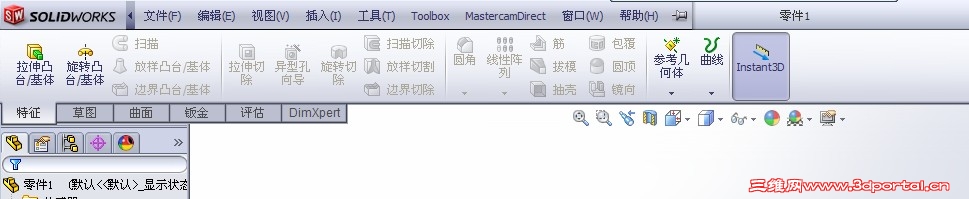
8 z# Y5 ]& o; Y, @/ d) j接下来 开始---程序---MasterCAM X6 for SolidWorks---Nhasp--选择nethasp和local--read--ok |
|







 发表于 2012-11-15 15:34:01


![I{B(Q37IDG61H]DMS@_9.jpg](data/attachment/forum/201302/03/170909clh42pw2w91lzu48.jpg "I{B(Q37IDG61H]DMS@_9.jpg")