|
|
 发表于 2011-8-24 20:19:13
|
显示全部楼层
发表于 2011-8-24 20:19:13
|
显示全部楼层
来自: 中国黑龙江齐齐哈尔
本帖最后由 wfgwfgwfg 于 2011-8-24 20:21 编辑 ) o3 p7 R( Z" F1 P$ z# W& L- z; I
$ m( `, }9 F! n" m
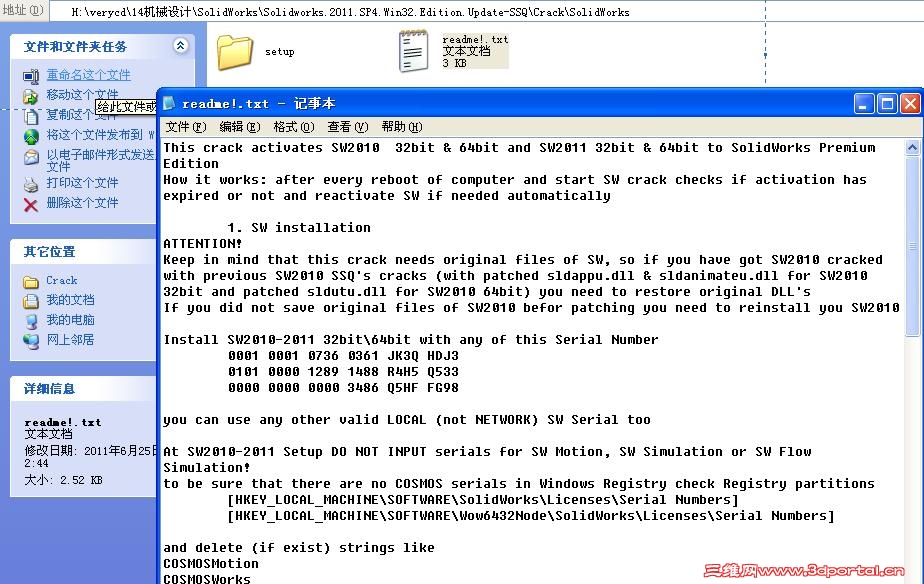
This crack activates SW2010 32bit & 64bit and SW2011 32bit & 64bit to SolidWorks Premium Edition
" m D" ~9 U3 R/ \7 a9 V% fHow it works: after every reboot of computer and start SW crack checks if activation has expired or not and reactivate SW if needed automatically& V1 w. J! C% ]* `" `/ {7 y
1. SW installation
! e1 c+ g) t% i% h0 P! _/ bATTENTION!
# `. S E3 B# [( n0 YKeep in mind that this crack needs original files of SW, so if you have got SW2010 cracked with previous SW2010 SSQ's cracks (with patched sldappu.dll & sldanimateu.dll for SW2010 32bit and patched sldutu.dll for SW2010 64bit) you need to restore original DLL's
; @1 r* y- }4 iIf you did not save original files of SW2010 befor patching you need to reinstall you SW2010
% y W% Y# y" Y0 N" ZInstall SW2010-2011 32bit\64bit with any of this Serial Number
+ g6 _) {" y6 b) y+ k9 f1 I0001 0001 0736 0361 JK3Q HDJ3- P" u C, Q) R9 u* W
0101 0000 1289 1488 R4H5 Q533. C: m9 K4 \5 y5 k1 q% b
0000 0000 0000 3486 Q5HF FG98/ a* |5 Z5 B, I9 k' g! E! ^, ?
5 U. V' s: A" U8 c/ b8 W9 m9 P: xyou can use any other valid LOCAL (not NETWORK) SW Serial too/ r% F4 X, n9 L" V5 g
At SW2010-2011 Setup DO NOT INPUT serials for SW Motion, SW Simulation or SW Flow Simulation!4 I; Z1 v' C+ E: Z* Y; g" S
to be sure that there are no COSMOS serials in Windows Registry check Registry partitions
2 P \6 y6 R- O3 `" w+ F7 ^[HKEY_LOCAL_MACHINE\SOFTWARE\SolidWorks\Licenses\Serial Numbers]
6 h9 d/ B' S* j2 f; ][HKEY_LOCAL_MACHINE\SOFTWARE\Wow6432Node\SolidWorks\Licenses\Serial Numbers]
( d# N6 Z; H; gand delete (if exist) strings like- u6 ~) B7 J: B$ v
COSMOSMotion
3 m) W8 |! }- g3 k* Z L; |COSMOSWorks
7 P# w% [" B# O5 ?, V- s. F% x1 NCOSMOSFloWorks: v0 E+ t/ w: W' D* P/ a
2. Applying a crack
, E# O2 n% h2 C) p! f' q7 N2.1. Copy folder "setup" from crack to SW2010 or\and SW2011 program directory and overwrite original one0 h3 m& h6 N) w, T! J: Y" B5 A
2.2. REBOOT you computer!" s6 e3 n2 F- r3 Z6 c
2.3. Run SW. If all is OK activation wiil be proceeded automaticaly and SW start to work: X7 v' X9 ?# G# o3 N; [
If on some 64bit computes at SW start you will get a warning
' O+ }1 D5 K3 b. w' ]2 b( ~# W" Error: Can not initialize library (%d, %d, %d)"
4 ~; W+ Z( A8 o) l or/ m* `( A" `3 v" _; B2 Q% k
" Error: Can not open handle (%d, %d, %d)"
; u- r1 H1 G& N+ {8 xyou need to run <SW progdir>\setup\i386\x64_fix\ServiceInst.exe, REBOOT computer and start SW again6 |$ M3 M1 I# I/ t- A4 x
9 P2 S* L l5 z# x1 q
3. Remarks
+ Q& ^+ n0 `3 l6 U$ n3.1. If for some reasons you are changing System time of computer be sure to REBOOT computer befor next SW starting& ?* y, T* l* T9 j: t3 b
3.2. If you will get a problems with automatic reactivation of SW after reboot you can do it manualy. To do this run. H& s" Q C; N9 Q) j8 S
3 g4 b ^7 u! A# r* G( D) l<SW progdir>\setup\i386\swactwiz.exe
7 W/ Y4 ]4 p3 Xor
[" i) t+ H. {Start > All Programs > SolidWorks 2011 (2010) > SolidWorks Tools > SolidNetWork License Manager! u( y% `* { h& H
3.2. If on some Vista/Win7 computers you will get problems with activation eDrawings 2011 32bit\64bit to Professional Edition you can use local crack for eDrawins2011.
4 b! g0 w; N; LWith this crack you can use eDrawings both as Stand Alone (without SW installation) and Embelled (with SW installation)
% \( @5 [; a( W" J* O) ^For more infor see readme.txt in eDrawings2011 folder!
% M/ Q: Y- L S; o( w
S: w1 i! {( [5 ?Team-SolidSQUAD (SSQ) |
-
-

|








 楼主
楼主