|
|
 发表于 2007-5-17 19:18:01
|
显示全部楼层
发表于 2007-5-17 19:18:01
|
显示全部楼层
来自: LAN
" n7 y& g7 E2 t) z- G* m$ j0 K0 e8 C
1) To install 3.1.1->3.1.6->3.1.10 Updates you need to Install 3.1.0 fisrt!) s/ H" Y& J* ]5 C6 m0 Z
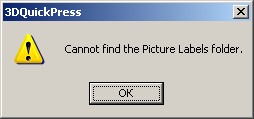
If you try to Update 3.0.6->3.1.1->3.1.6->3.1.10 you will get a system message: "Cannot find a Picture Labels folder"% q7 _4 b4 a3 `2 {- Y* [
, B) s5 d, _) J2 N% B
In 3.1.0 Installation there are 33 new Toolbar's icons:5 y' [9 C3 U$ b7 g. m
$ E# M# w- Y7 h6 I: b3 b) E+ @
ToolbarGroupLarge256.bmp. E8 F! b. S: g. [& N8 Z
QuickSelectToolbarSmall256.bmp' P* n. ^" p& m
QuickSelectToolbarLarge256.bmp
5 Q6 D& o+ ?1 K4 KQuickSelectToolbarGroupSmall256.bmp$ I$ t M! r/ t3 K
QuickSelectToolbarGroupLarge256.bmp
& Y8 E* T3 e7 N0 U9 CSketchToolsToolbarSmall256.bmp" ^; H w! z% c% T2 Z
SketchToolsToolbarLarge256.bmp4 G" V e) j& O5 R) Y
SketchToolsToolbarGroupSmall256.bmp
' p- J3 `" l) T$ `2 a& cSketchToolsToolbarGroupLarge256.bmp2 ?8 N8 ]% Z d: Y& M
SurfaceToolsToolbarSmall256.bmp7 W Q* n$ s& n) h/ P
SurfaceToolsToolbarLarge256.bmp
6 H: W8 g0 W, }6 z3 c: oSurfaceToolsToolbarGroupSmall256.bmp9 [ m! p8 N% @
SurfaceToolsToolbarGroupLarge256.bmp! b4 ?- |0 L+ F4 ?" D5 C$ S) q
FreeFormUnfolderToolbarSmall256.bmp; y+ z2 U# m! L& A
FreeFormUnfolderToolbarLarge256.bmp
& W. h" X- h, y; u% F" x2 N1 NFreeFormUnfolderToolbarGroupSmall256.bmp
7 ~% N5 A( U! iFreeFormUnfolderToolbarGroupLarge256.bmp
' F" m. O2 j' ^5 ^ s7 wDisplayOptionsToolbarSmall256.bmp
: ]# E' V6 m# g- fDisplayOptionsToolbarLarge256.bmp( Q8 R4 w. Y* J1 _' ]- |5 K9 t; W
DisplayOptionsToolbarGroupSmall256.bmp" J6 S( I3 n* X0 b) `6 {( p
DisplayOptionsToolbarGroupLarge256.bmp
0 V; z+ ]1 [2 p% PBendingToolbarSmall256.bmp% b1 d3 v, P9 D# l
BendingToolbarLarge256.bmp- V3 i; Q" m/ u" H
BendingToolbarGroupSmall256.bmp
4 w& N5 [1 o+ t% U( `BendingToolbarGroupLarge256.bmp
1 b) ?0 l0 f* k0 H8 } W! SStandardViewToolbarSmall256.bmp9 c' q$ V6 v8 [4 i+ E( Z0 y) |
StandardViewToolbarLarge256.bmp
( |% L$ z s8 l t) KStandardViewToolbarGroupSmall256.bmp {; p5 K; T3 r* O. E
StandardViewToolbarGroupLarge256.bmp; v2 G) ~; p& S5 H6 W" ~5 o: s' ^
UnfoldToolbarSmall256.bmp0 L1 c- `+ R5 M9 C+ \4 |% h1 Q
UnfoldToolbarLarge256.bmp
, `4 T- H5 G5 g V7 ]8 vUnfoldToolbarGroupSmall256.bmp
4 h. Z# h: t$ Z+ D( G) y7 {$ o" R' Z9 qUnfoldToolbarGroupLarge256.bmp
2 h: f! f) F8 k
, g; |# ~" @ }& e% a6 Z W8 JPDDS.dll of 3.1.1-3.1.10 have a links to that icons, but can not find them in directory C:\Program Files\3DQuickPressV3\Picture Labels
! E, x) d! H8 _ h; qSo if you click at program startup "OK" 33 times- program will start, but some toolbars will be blank!) h$ o5 E8 c- m+ w
g4 C& A0 x% [7 |5 {6 z& UIt is nessesery to have v3.1.0 Installation to update 3.0.6 first! Another way is to find anythere that *.bmp from 3.1.0 Installation and copy them to 3.0.6 Program directory befor applaying 3.1.1->3.1.6->3.1.10 Update r: E8 d# ]. j) Z
1 _' M4 \* O: r5 nAs for the crack for 3dquickpress v3.1.10- you can use crack for v3.0.6. In fact the crack for all v3.X.X is the same  : h" P- c! H- l# n& F% Q : h" P- c! H- l# n& F% Q
' Q1 ]4 f3 p8 r+ C2 w[ 本帖最后由 solid_user 于 2007-5-17 19:25 编辑 ] |
-
|








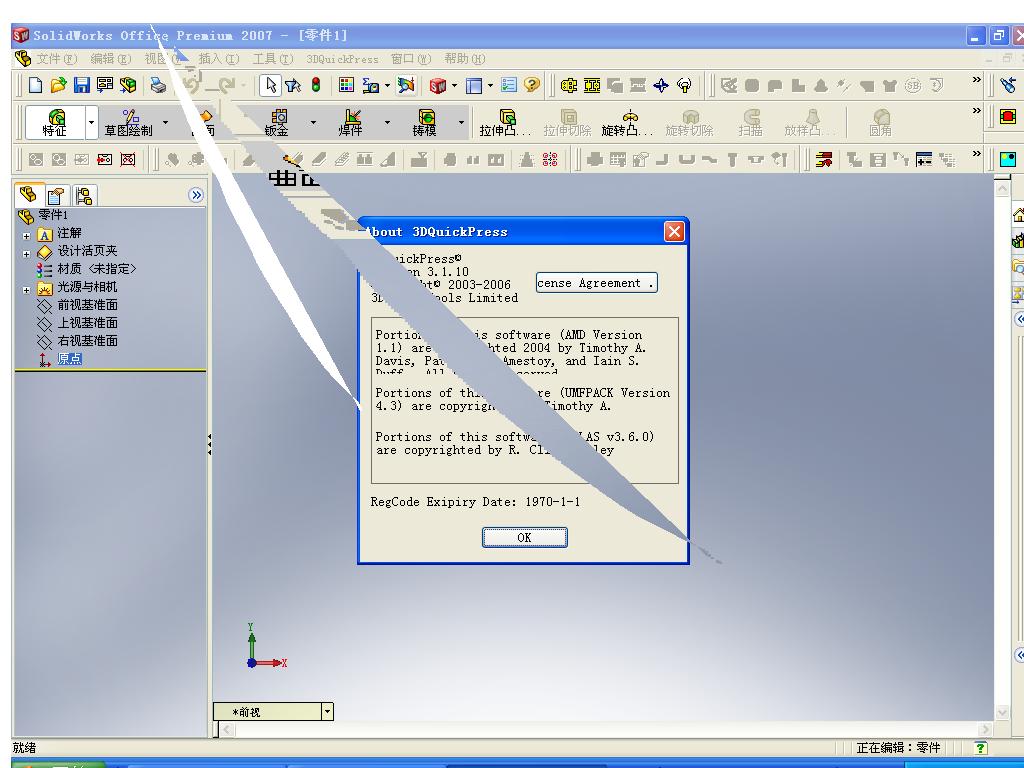

 ,请问上传的是什么东东?
 楼主
楼主 :L
:L ;)
;)