|
|
 发表于 2009-1-14 09:25:53
|
显示全部楼层
发表于 2009-1-14 09:25:53
|
显示全部楼层
来自: 中国山东泰安
楼上的两位,不经过验证,不要乱说话。, n: ^) Q$ _4 l$ Y8 q0 u
) E( O$ f4 u4 ~3 d4 Q
解压正常:, P' n; [" a6 c! U+ K
% G( q! r) T) o- H7 C6 \* ^
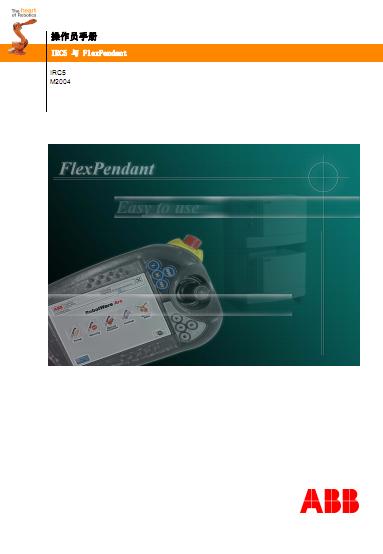
文件之一:带 FlexPendant 的 IRC5.pdf
! T9 ^% p7 J+ s- b9 W- V @: t+ S. P' s2 `2 l
操作员手册( v4 ]4 G' V3 I# I4 V. h
带 FlexPendant 的 IRC5
1 z+ R8 Q, k) P" k, `M2004
0 K6 v, o& z8 b4 u6 r# S/ y2 ?雬档 ID: 3HAC 16590-108 J% t/ x! ^8 L) ~+ N
米Ι : G+ L: d! H' Z; E7 X& b ] _
; b) H/ {8 r5 z: T! F2 C# h目表
) M! J7 O" W; [: G6 B 概述 . . . . . . . . . . . . . . . . . . . . . . . . . . . . . . . . . . . . . . . . 9% h& V+ m6 A, r$ c# q3 ]
产品文档, M2004 . . . . . . . . . . . . . . . . . . . . . . . . . . . . . . . . . 116 N7 x5 P: c }' m
1 安全 13
9 d& ~+ b. C0 d$ g% w4 p1.1 关于本章 . . . . . . . . . . . . . . . . . . . . . . . . . . . . . . . . . . . . 13
% z g7 W! \$ ^ L" ]; D1.2 IRC5 的应用安全标准 . . . . . . . . . . . . . . . . . . . . . . . . . . . . . . 14: j' ]3 T; I- T
1.3 安全术语 . . . . . . . . . . . . . . . . . . . . . . . . . . . . . . . . . . . . . . . . 15) w! j/ h- M. }3 A
1.3.1 安全标志,概述 . . . . . . . . . . . . . . . . . . . . . . . . . . . . . . 15# _* Q! T" o4 a, N# ~" J9 N& O
1.3.2 危险 . . . . . . . . . . . . . . . . . . . . . . . . . . . . . . . . . . . . . . . 17
* N E, m2 L3 t9 w! @+ l1.3.2.1 危险-确保总电源已经关闭!. . . . . . . . . . . . . . . . . . . . . 17
( p( R0 e$ V8 O+ J, Q1 `1 y1 n1.3.2.2 危险-移动操纵器可能产生致命性后果!. . . . . . . . . . . . . . . . 18% T( I5 p" Q1 a" {
1.3.2.3 危险-没有轴制动闸的操纵器可能产生危险! . . . . . . . . . . . . . 19( R0 V& d1 P/ T
1.3.3 警告 . . . . . . . . . . . . . . . . . . . . . . . . . . . . . . . . . . . . . . . 201 ~- T J; r9 f% S
1.3.3.1 警告-该单元易受静电影响! . . . . . . . . . . . . . . . . . . . . 20
3 v1 N* H q) \% G |1 `1.3.4 什么是紧急停止? . . . . . . . . . . . . . . . . . . . . . . . . . . . . . 214 f9 O1 A. O) K- F) ?0 ]
1.3.5 什么是安全停止? . . . . . . . . . . . . . . . . . . . . . . . . . . . . . 22
- V& t+ s- n7 d1.3.6 什么是安全保护? . . . . . . . . . . . . . . . . . . . . . . . . . . . . . 23
) ~% X' l2 V" ?; w9 L1.3.7 使动装置和止-动功能 . . . . . . . . . . . . . . . . . . . . . . . . . . . 24
/ S; e8 u7 v& c. a1.4 如何处理紧急情况 . . . . . . . . . . . . . . . . . . . . . . . . . . . . . . . . . . . . 25 z, p$ y5 i/ h4 c7 s; V y0 s3 w ]
1.4.1 停止系统 . . . . . . . . . . . . . . . . . . . . . . . . . . . . . . . . . 25
' g9 O, p& V. D) E1.4.2 释放机器人制动闸 . . . . . . . . . . . . . . . . . . . . . . . . . . . . . 27
$ z5 Z& c: Y; s, ~# U1.4.3 灭火 . . . . . . . . . . . . . . . . . . . . . . . . . . . . . . . . . . . 28" d7 J; Q8 v; }: o
1.4.4 从紧急停止状态恢复 . . . . . . . . . . . . . . . . . . . . . . . . . . . . 29
. p0 B& O6 ^0 [) D# V7 w1.4.5 返回到编程路径 . . . . . . . . . . . . . . . . . . . . . . . . . . . . . . 30
, Y+ ?% ^3 ]) ~: Z( a6 L1.5 工作中的安全事项 . . . . . . . . . . . . . . . . . . . . . . . . . . . . . . . . . . . . 31
4 [" [) Z3 G2 Y/ u& V2 B9 D0 w1.5.1 概述 . . . . . . . . . . . . . . . . . . . . . . . . . . . . . . . . . . . 31* N0 s( H, _7 G7 K4 L# g
1.5.2 自身安全 . . . . . . . . . . . . . . . . . . . . . . . . . . . . . . . . . 32" d5 p6 L! t" P1 {6 d( w/ \* I
1.5.3 注意 - FlexPendant 的处置 . . . . . . . . . . . . . . . . . . . . . . . . . . 33) Q) {7 n0 u) \/ T4 O& [. `
1.5.4 安全工具 . . . . . . . . . . . . . . . . . . . . . . . . . . . . . . . . . 349 @0 Q5 ^! _ ]! E& ?0 K+ M: s
1.5.5 手动减速模式和手动全速模式下的安全性 . . . . . . . . . . . . . . . . . . . 35
' X4 k6 ]5 b8 N, n: b1.5.6 自动模式下的安全性 . . . . . . . . . . . . . . . . . . . . . . . . . . . . 36+ f$ K, h: d+ A1 _" Z4 h* {, k
2 欢迎使用 FlexPendant 37
1 f$ V, s1 ]( D& ?% j# S! m: U2.1 关于本章 . . . . . . . . . . . . . . . . . . . . . . . . . . . . . . . . . . . . 37# r* D: O1 ^* o2 U
2.2 FlexPendant 简介 . . . . . . . . . . . . . . . . . . . . . . . . . . . . . . . . 38' h1 {) L1 a: J6 e& x# w
2.3 IRC5 控制器简介 . . . . . . . . . . . . . . . . . . . . . . . . . . . . . . . . 43
9 z; A; y( d$ {4 J2.4 RobotStudioOnline 简介 . . . . . . . . . . . . . . . . . . . . . . . . . . . . . . 445 X: r0 K5 b3 k* v- H
2.5 何时使用 FlexPendant 和 RobotStudio Online . . . . . . . . . . . . . . . . . . . . 45
7 e% M( K) [4 ?2.6 控制器上的按钮和端口 . . . . . . . . . . . . . . . . . . . . . . . . . . . . . 47
7 h8 _( D* ~4 T4 a5 N3 入门指南 49 T7 v; z% W1 t
3.1 关于本章 . . . . . . . . . . . . . . . . . . . . . . . . . . . . . . . . . . . . 49+ t; b7 M1 `1 k8 n3 @5 ?0 b d8 L# B( v
3.2 连接 . . . . . . . . . . . . . . . . . . . . . . . . . . . . . . . . . . . . . . . . . . 50+ S% Q, r3 R8 F2 X a9 Y7 x z8 B
3.2.1 连接 FlexPendant . . . . . . . . . . . . . . . . . . . . . . . . . . . . . . 50
& v, J' g0 M9 [: K; J! }' I+ e, {2 W3.2.2 断开 FlexPendant . . . . . . . . . . . . . . . . . . . . . . . . . . . . . . 516 X# h: U, @3 b1 N. n1 k7 h
3.2.3 将 PC 机连接到服务端口 . . . . . . . . . . . . . . . . . . . . . . . . . . 52. R' X, d2 x0 o* y( x5 e* N8 X
3.2.4 设置网络连接 . . . . . . . . . . . . . . . . . . . . . . . . . . . . . . 55) I. ?6 E: n$ L, X+ y M7 W* L
3.3 动作场景 . . . . . . . . . . . . . . . . . . . . . . . . . . . . . . . . . . . . . . . . 56, i' A2 z7 e: v+ y6 G$ m: {: G5 M
3.3.1 关于动作场景 . . . . . . . . . . . . . . . . . . . . . . . . . . . . . . . 56
9 m- H! \/ h+ C# r) p; ]3.3.2 系统启动 . . . . . . . . . . . . . . . . . . . . . . . . . . . . . . . . . 57
|. {# s( _( O3.3.3 微动控制 . . . . . . . . . . . . . . . . . . . . . . . . . . . . . . . . . 59
/ ~: i! H0 _: g* g1 _+ o* n3.3.4 使用 RAPID 程序 . . . . . . . . . . . . . . . . . . . . . . . . . . . . . 60% j; r7 h- |8 e
3.3.5 使用输入和输出 . . . . . . . . . . . . . . . . . . . . . . . . . . . . . . 616 @8 P. Z1 |# K. d5 \& k. a, q
: v7 X1 o( s/ A3.3.6 备份和恢复 . . . . . . . . . . . . . . . . . . . . . . . . . . . . . . . . . 62
: A) }) B8 G) s8 W2 v3.3.7 在生产模式下运行 . . . . . . . . . . . . . . . . . . . . . . . . . . . . . 63
4 u2 B5 w; r9 @8 O6 ~' ?7 c3.3.8 授权对 RobotStudio Online . . . . . . . . . . . . . . . . . . . . . . . . . . 648 D1 F- O5 x/ `/ b" c9 H
3.3.9 升级 . . . . . . . . . . . . . . . . . . . . . . . . . . . . . . . . . . . 65
8 X, _( r D1 q% f$ X- w4 S- R1 G3.3.10 安装软件选项 . . . . . . . . . . . . . . . . . . . . . . . . . . . . . . . 66$ I3 K5 W2 ^# B- A3 `# l V
3.3.11 关闭 . . . . . . . . . . . . . . . . . . . . . . . . . . . . . . . . . . . 67
/ |" C& c, B( p0 @; q5 u9 i3.3.12 故障排除的常规步骤 . . . . . . . . . . . . . . . . . . . . . . . . . . . . 68& t, R3 w# P0 P2 W9 j& i2 B
4 使用 FlexPendant 高效运作 691 y- j8 ]8 U0 |5 m5 s5 d. h
4.1 关于本章 . . . . . . . . . . . . . . . . . . . . . . . . . . . . . . . . . . . . 69& h9 M0 n/ M, ]0 v" v
4.2 概述,个性化 FlexPendant. . . . . . . . . . . . . . . . . . . . . . . . . . . . . 70
- t; j) @4 P: C3 U6 f0 J2 A4.3 ABB 菜单 . . . . . . . . . . . . . . . . . . . . . . . . . . . . . . . . . . . . . . . . 71 B/ \1 h% n% ~) c; D
4.3.1 HotEdit 菜单 . . . . . . . . . . . . . . . . . . . . . . . . . . . . . . . . 71 Q# ]7 b; L( ]# L% p; u4 m1 ?
4.3.2 FlexPendant 资源管理器 . . . . . . . . . . . . . . . . . . . . . . . . . . . 73# S2 Y. K# T' i- ]
4.3.3 输入和输出, I/O . . . . . . . . . . . . . . . . . . . . . . . . . . . . . . 74: i! H- I- n; J6 l' k( B, @
4.3.4 微动控制 . . . . . . . . . . . . . . . . . . . . . . . . . . . . . . . . . . 75! `; a: {# [7 s- l; s9 {
4.3.5 运行时窗口 . . . . . . . . . . . . . . . . . . . . . . . . . . . . . . . . . 77! ~7 z! @9 d0 w
4.3.6 程序数据 . . . . . . . . . . . . . . . . . . . . . . . . . . . . . . . . . . 78
. Q8 a0 ]; Q( F' N( k: m4.3.7 程序编辑器 . . . . . . . . . . . . . . . . . . . . . . . . . . . . . . . . . 80* E( T, H9 q! S) X7 b
4.3.8 备份与恢复 . . . . . . . . . . . . . . . . . . . . . . . . . . . . . . . . . 81
- z3 m2 Z1 h3 i. v5 v6 c2 h4.3.9 校准 . . . . . . . . . . . . . . . . . . . . . . . . . . . . . . . . . . . 82
" f( `2 \# Y( N2 T# |$ Z: ]- g4.3.10 控制面板 . . . . . . . . . . . . . . . . . . . . . . . . . . . . . . . . . 84- V" I/ K# \, y5 G- ~
4.3.11 事件日志菜单 . . . . . . . . . . . . . . . . . . . . . . . . . . . . . . . 85; U2 T$ b5 f( B& D$ }
4.3.12 系统信息 . . . . . . . . . . . . . . . . . . . . . . . . . . . . . . . . . 875 E. a7 R; x% |, V# r& g
4.3.13 重新启动 . . . . . . . . . . . . . . . . . . . . . . . . . . . . . . . . . 88
# C( F& c) s; A- F. h7 N- y4.3.14 注销 . . . . . . . . . . . . . . . . . . . . . . . . . . . . . . . . . . . 894 c! a8 u+ s4 W8 l; e% X8 n$ u
4.4 操作员窗口 . . . . . . . . . . . . . . . . . . . . . . . . . . . . . . . . . . . . . . . . 908 P+ F% ~$ d T" H9 m
4.4.1 操作员窗口 . . . . . . . . . . . . . . . . . . . . . . . . . . . . . . . . 90
4 E: |) K" d; b- q4.5 状态栏 . . . . . . . . . . . . . . . . . . . . . . . . . . . . . . . . . . . . . . . . . . 91
& ^) G- h9 q8 e+ x% L5 ?7 T4.5.1 状态栏 . . . . . . . . . . . . . . . . . . . . . . . . . . . . . . . . . . 91+ Q. t4 O7 J2 U
4.6 "快速设置 "菜单 . . . . . . . . . . . . . . . . . . . . . . . . . . . . . . . . . . . . . 92, B3 U, y' A1 ~" D2 o u2 U' |
4.6.1 " 快速设置 " 菜单 . . . . . . . . . . . . . . . . . . . . . . . . . . . . . . 92
: w# W) T3 A4 s$ E# C8 _) R- H4.7 基本步骤 . . . . . . . . . . . . . . . . . . . . . . . . . . . . . . . . . . . . . . . . 933 {0 {# K. e: r6 C5 ]7 S
4.7.1 使用软键盘 . . . . . . . . . . . . . . . . . . . . . . . . . . . . . . . . 93
* y) v% _) R* L* ? Z# Y0 X" V4.7.2 FlexPendant 上的消息 . . . . . . . . . . . . . . . . . . . . . . . . . . . . 94; {& Z6 G# G2 u% w
4.7.3 在 FlexPendant 上滚动和缩放 . . . . . . . . . . . . . . . . . . . . . . . . . 951 E5 B6 S N7 |7 C
4.7.4 过滤数据 . . . . . . . . . . . . . . . . . . . . . . . . . . . . . . . . . 96( ? K) C; L [+ u) d5 {+ G' R/ y
4.7.5 处理程序 . . . . . . . . . . . . . . . . . . . . . . . . . . . . . . . . . 98
( y9 i9 K @- o+ P4.7.6 如何登录和注销 . . . . . . . . . . . . . . . . . . . . . . . . . . . . . . 99- E1 o4 l' L# a) m7 q5 k
5 微动控制 101
1 O3 o/ e8 t# ~; @3 G5.1 微动控制简介 . . . . . . . . . . . . . . . . . . . . . . . . . . . . . . . . . .101
% X$ l- F7 A2 G5 {) Q5.2 微动控制概念 . . . . . . . . . . . . . . . . . . . . . . . . . . . . . . . . . . . . . 102
* b5 C' ]6 C8 M$ `' s, y5.2.1 微动控制的限制 . . . . . . . . . . . . . . . . . . . . . . . . . . . . . .102
" H3 N, V& M* r5.2.2 协调微动控制 . . . . . . . . . . . . . . . . . . . . . . . . . . . . . . .103, L8 p# \/ G4 K$ a3 [
5.3 微动控制基本设置 . . . . . . . . . . . . . . . . . . . . . . . . . . . . . . . . . . . 104
" ~, X# `' b8 m8 F5.3.1 选择机械单元 . . . . . . . . . . . . . . . . . . . . . . . . . . . . . . .104
- i, G% X+ |8 E# `3 Z& Y" t5.3.2 选择动作模式 . . . . . . . . . . . . . . . . . . . . . . . . . . . . . . .106
4 b2 {, c( C: ]; F! d5.3.3 选择工具、工件和有效载荷 . . . . . . . . . . . . . . . . . . . . . . . .107
, I6 r# o3 I7 I# {1 b5.3.4 设置工具方向 . . . . . . . . . . . . . . . . . . . . . . . . . . . . . . .108' p8 @* J( x- }+ L5 s1 P1 ]
5.3.5 逐轴微动控制 . . . . . . . . . . . . . . . . . . . . . . . . . . . . . . .109
" Y# J( w: w. U' z; D5.3.6 以基坐标进行微动控制 . . . . . . . . . . . . . . . . . . . . . . . . . . .111
8 u" d/ D+ E% l/ I5.3.7 以大地坐标进行微动控制 . . . . . . . . . . . . . . . . . . . . . . . . . .112
, P& f( a) V0 k O3 p
& H: r" E, \) u5 q6 [( Z! Y+ H; o。。。。。 |
-
|


 [复制链接]